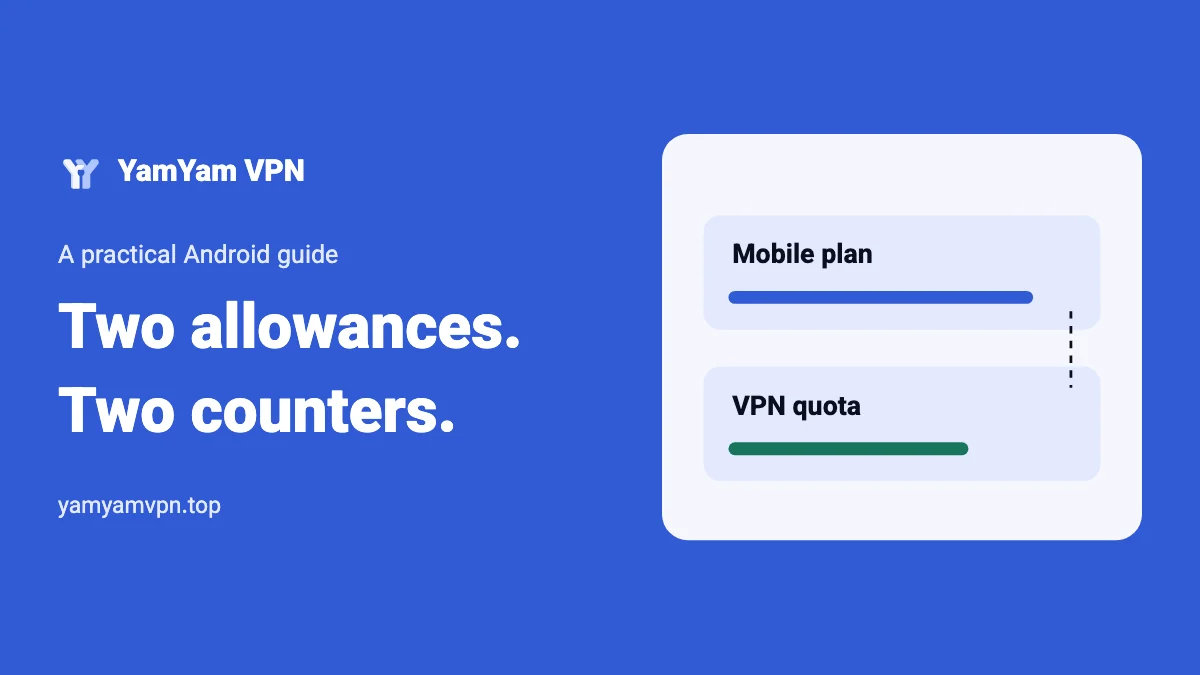
A VPN uses your existing Wi-Fi or mobile connection. On mobile data, traffic through the VPN still uses your operator’s allowance. The tunnel also carries protocol information, so a VPN should not be treated as a way to get free mobile data. There is no single extra-data percentage that accurately describes every app, protocol and network.
The useful question is which counter is increasing and why. A mobile plan, Android’s data-usage estimate and a VPN’s own quota are three different measurements. Start by identifying the limit that stopped your session. Then compare a controlled activity instead of guessing from the VPN app’s total alone.
1. Distinguish the three counters
| Counter | What to use it for | What it cannot tell you alone |
|---|---|---|
| Operator account or data-plan app | Check your plan’s remaining allowance and billing period. | Which setting inside the VPN caused a problem. |
| Android data usage | Compare activity over a selected date range. | The operator’s final billed total. |
| VPN quota or usage display | Check the allowance applied by that VPN service. | How much mobile data every app used outside the tunnel. |
Match the periods before comparing numbers. A daily allowance, a monthly plan and an Android chart starting on a different date will naturally disagree. Also confirm that you are reading mobile usage rather than Wi-Fi usage. Record the unit: megabytes and gigabytes should not be compared as if they were the same.
YamYam VPN is free with a daily data quota per device. When it is used up, the app reports this and connects again in the next period. Use the app’s current message; this guide does not assume a fixed quota amount or an exact reset time. A phone-clock change is not a reliable way to change a service allowance.
2. Measure one small, repeatable activity
Use an activity you already trust, such as downloading the same small file from the same source. Avoid a long speed test as your first measurement: it adds traffic of its own and can consume the allowance you are trying to preserve. Set aside enough remaining data for a modest test.
- Stay on one mobile network. Pause large downloads, cloud backups and app updates.
- Record the Android counter and time before the activity, and record them again afterward.
- If it is appropriate for that content, repeat the same activity without the VPN. Keep the file, location and measurement window the same.
- Account for caching. Reopening a cached page is not equivalent to downloading its content again.
- Repeat before drawing a conclusion. Keep the measured differences as observations, not as a universal percentage.
You do not need to disconnect the VPN for private or sensitive activity just to obtain a comparison. A baseline from a small, ordinary file is enough for this exercise. If you cannot control the activity or its background traffic, label the result approximate.
For example, suppose a chosen test increases the phone counter by 20 MB in one run and 23 MB in another. The observed difference is 3 MB. It does not establish that the VPN always adds that much, because background activity, caching and retransmissions may differ. These numbers are an illustration, not measured YamYam performance.
3. Find the activity behind the increase
Start with large transfers: high-resolution video, autoplay, video calls, backups, software downloads and repeated speed tests. Check each app’s own controls for video quality, automatic downloads and mobile-data use. Reducing the amount of content transferred is often a more useful experiment than repeatedly switching VPN routes.
Android and an operator may account for traffic differently. While a VPN is active, an app-level chart should not automatically be read as “the VPN generated all this content.” The VPN transports traffic requested by other apps. Compare the total device usage, the period and the activity you performed before assigning a cause.
If usage grows while the phone is idle, record the interval and inspect backups, updates and background-data settings. A delayed counter update can also complicate a short measurement. Avoid clearing statistics before writing down the evidence, and do not assume that a rising number proves a security incident.
4. Reduce transfers without changing the wrong route
Try lower video quality, disable autoplay in the relevant app and defer large downloads to a trusted Wi-Fi connection. These steps address the amount of content you request. A VPN is not a universal content-compression tool, and changing its location does not by itself make a video file smaller.
YamYam lets selected apps or websites connect without the VPN. This can change whether their traffic uses the tunnel, but traffic over mobile data still uses the operator’s allowance. Only bypass the VPN when a direct connection is suitable for that app or website. The split-tunneling guide explains the routing choice.
Data Saver and app-specific background limits can reduce some background transfers, but they may affect ongoing activity. After changing one, verify that the VPN and the apps you need still work after screen lock. Use the background-connection checklist if that test fails.
5. Identify the stop before reconnecting
If the operator’s allowance is exhausted, changing VPN modes will not restore the underlying mobile connection. If the VPN’s quota is exhausted but your internet plan is available, follow the VPN app’s displayed next-period message. If both counters show room, test fresh content and check the connection rather than classifying every interruption as a quota problem.
For YamYam, the Smart, Stable and Exclusive guide describes the available modes. None should be interpreted as a new data plan. Get the current app only from the official download page and consult the privacy policy for the product’s data practices.
Keep a brief record of the network, measurement window, activity, counters and displayed message. This makes the next decision specific: reduce a transfer, wait for the relevant quota period, restore the underlying connection or investigate a connection failure.
Frequently asked questions
Does VPN traffic on Wi-Fi use my mobile plan?
Traffic carried by Wi-Fi uses that connection. If the phone switches or falls back to mobile data, the mobile plan may be used. Confirm which network is active during the measurement.
Does bypassing the VPN save mobile data?
It changes the route, not the need for internet data. A download outside the tunnel still consumes mobile data when it uses the mobile network.
Can I calculate an exact overhead from one test?
One comparison describes that test only. Repeat under similar conditions and avoid turning a small sample into a general claim about all VPN traffic.